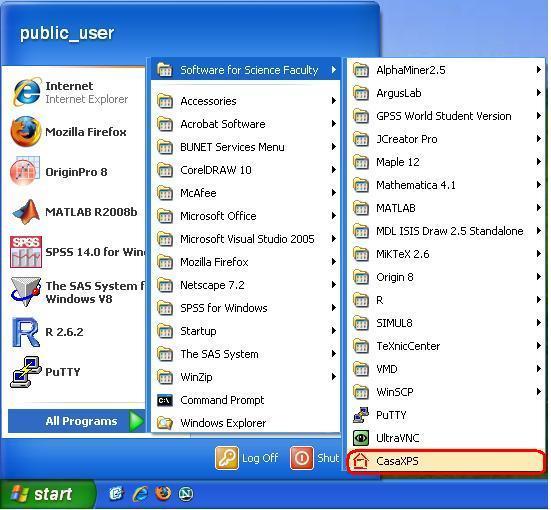
How to access CasaXPS program at OEE501
Step 1 Login in English Windows XP with your Novell
accout at the computer (marked with P in the below diagram)
Step 2. Double-click the
icon  as in the below
diagram to start the program CasaXPS version 2.12.12.
as in the below
diagram to start the program CasaXPS version 2.12.12.
Step 4 : Select the Convert
and Merge Option from the File Menu
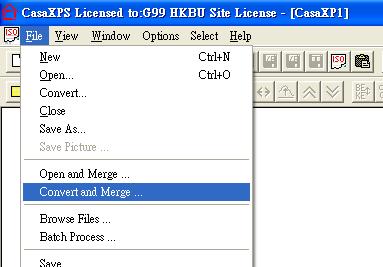
Step 5 : Select any XPS file with extension .1 and Press Open
button.
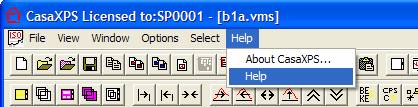
CasaXPS Help
To access the HTML Help information, select the Help option on the Help menu found on the CasaXPS main program window.
Help information explains the features of the program and helps the user understand its capabilities.
Here are the
Help Topics
Introduction : General introduction to CasaXPS
and review articles for XPS spectra and instrumentation.
Converting File Formats : Data from a wide range of XPS/AES
instruments can be converted through CasaXPS into the ISO 14976 format used by
CasaXPS.
Peak Fitting:
Constructing peak models using synthetic models and nonlinear-least-squares
optimisation.
Quantification : Atomic concentration based on
spectra, quantification regions and synthetic components. Element library information.
Display of Data:
Managing Experiment Frames, display tiles and manipulating data using the browser.
Depth Profiles : XPS/AES depth profiles.
Working with Data Files : Propagating results from one file
to other files. Tile Format Files and Batch Processing.
Spectrum Processing:
Energy calibration, satellite subtractions, spectrum calculator etc.
Image Processing : Spectromicroscopy combines
spectroscopic techniques to extract enhanced chemical state images from the surface.
SIMS Features: ToF
SIMS and Dynamic SIMS